Polls
Ask everyone in a chat one question with a few answers, see who voted for what, close it and keep the result.
For: users · From BeeBEEP 6.0.0 · Updated on
A poll asks everyone in a chat one question with a few answers to choose from: "lunch at one or at half past one?", "which day for the meeting?". This page explains how to ask one, how to vote, who can vote, and what is left of a poll once it is closed. It is for everyone who uses BeeBEEP.
Where a poll works
A poll works in a group and in a chat with one person. It never works in BEEP: the people there change from one minute to the next, so a vote would reach a different room every time.
A poll is a message like any other: it waits in the queue for someone who is offline, passes through a user who relays messages, arrives on every device of the chat, and its question shows in the chat list, in the notification and in a reply that quotes it.
Asking a question
Tap + beside the field and choose Poll. The New poll screen opens over the chat.
- Write the Question, up to 255 characters.
- Write the Answers, up to 100 characters each: a new empty field appears as soon as you write in the last one, up to twelve answers. The cross beside an answer removes it.
- Allow multiple answers is on at first: turn it off when each person may choose only one.
- Tap Send. It is ready once there is a question and at least two answers that differ.
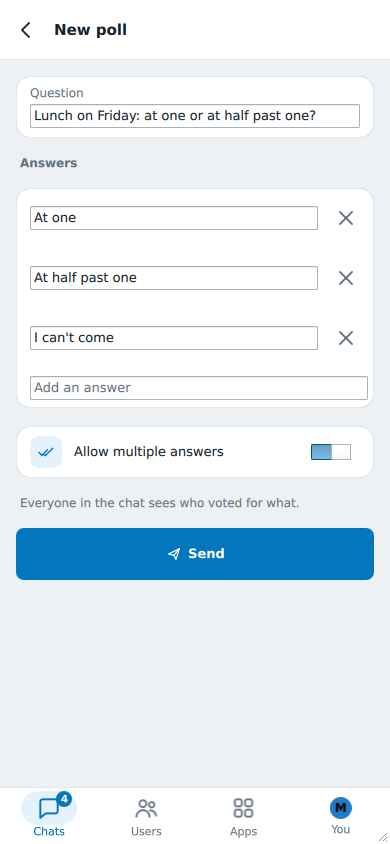
The screen says it before you send: Everyone in the chat sees who voted for what. A vote leaves the voter's own device for everyone else's, so there is no anonymous vote.
Voting
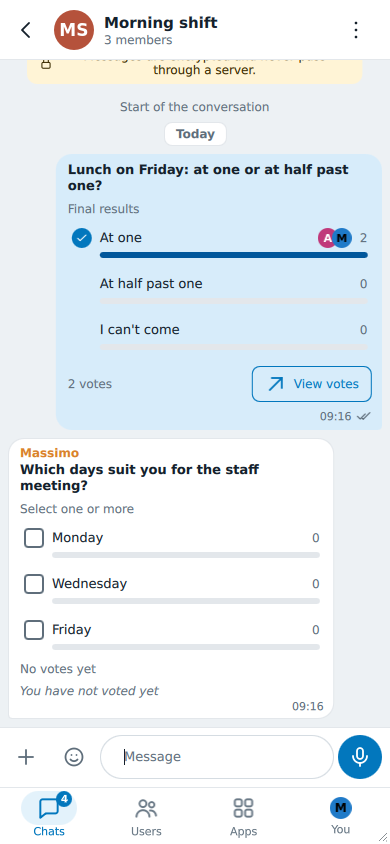
The poll shows in the chat as a card: the question, each answer with how many chose it and a bar for its share, the first people who chose it, and at the foot how many voted. The counts show before you vote too; until you do, the card says You have not voted yet.
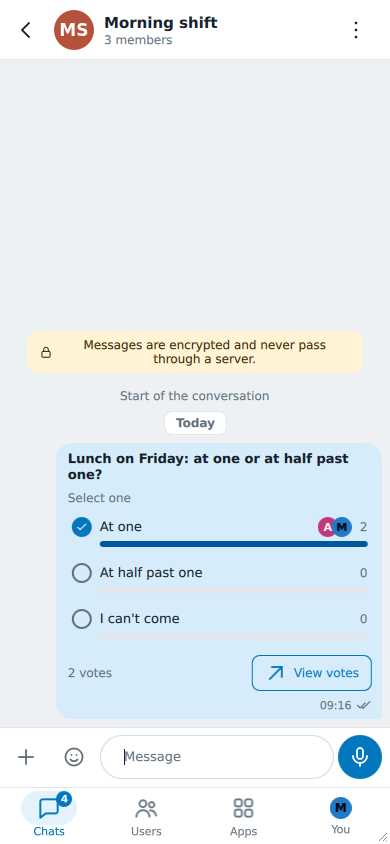
- Tap an answer to choose it. On a poll with one answer (Select one), a tap on a different answer moves your vote there, and a tap on the answer you chose takes your vote back.
- On a poll with multiple answers (Select one or more), each tap adds or removes that answer.
- A vote sends no notification to anyone.
- You can change your vote as long as the poll is open. If you are offline, your vote leaves when you are back; if the poll's author is away, your vote reaches everyone else all the same.
Who voted and who has not
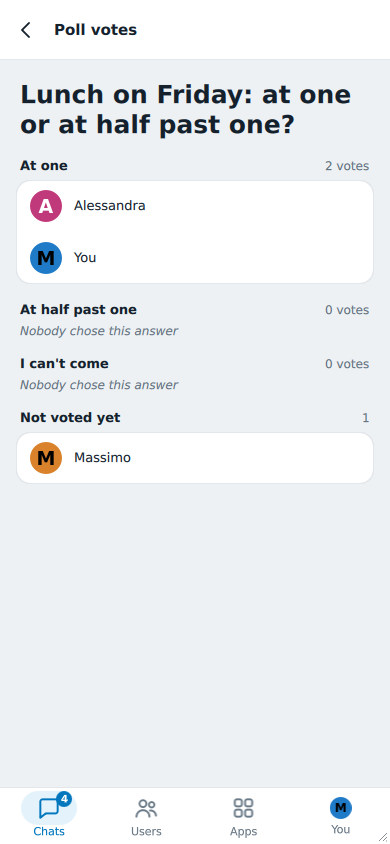
View votes opens the list of each answer with the people who chose it, and under Not voted yet whoever can still vote, you included. When everybody voted it says Everyone voted.
Who can vote
Whoever received the poll can vote on it:
- Someone who joins a group after a poll was sent never gets it, so cannot vote on it and is not counted among those who have not voted.
- Someone who leaves the group, or is removed, while the poll is open no longer counts: their vote is set aside and they disappear from the list. If they come back while the poll is still open, their vote counts again.
Closing a poll
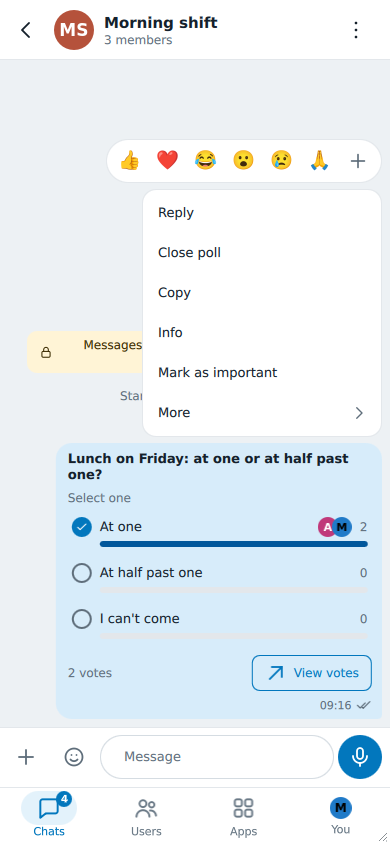
Whoever asked can close the poll: Close poll in its menu, then Yes. Nobody can vote any more, and every copy shows Final results with the same count -- the one the author's device held when closing.
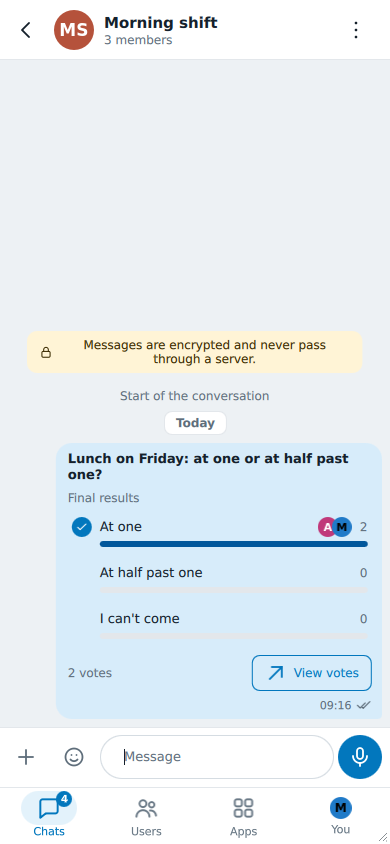
What a closed poll keeps
A closed poll keeps its result as it was when it closed. View votes lists who chose what and, under Did not vote, who could have voted and did not, with the names they had at that moment: the result does not change if someone changes name, leaves the group or is no longer known to your device.
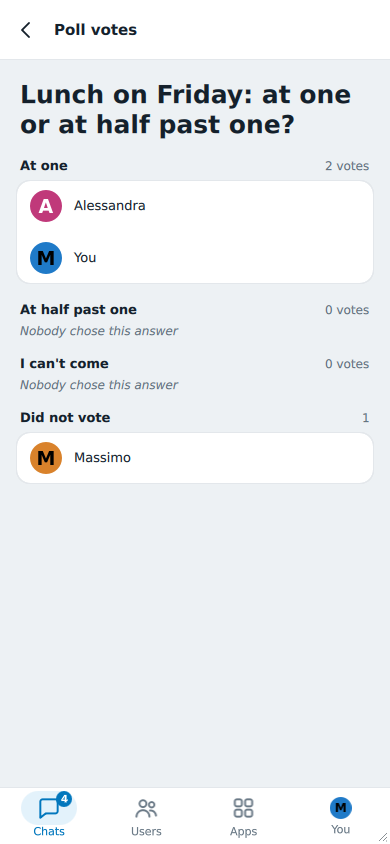
Copy in the menu of a closed poll copies its result as text, ready to paste in an email or a document: the question with Final results, each answer with its number of votes and who chose it, and who did not vote. Since the text leaves your device, your own name appears in it as it is, never as "You": here Marco's, who closed the poll in the pictures above.
📊 Lunch on Friday: at one or at half past one? (Final results)
1. At one (2): Alessandra, Marco
2. At half past one (0)
3. I can't come (0)
Did not vote: Massimo
On a poll still open, Copy copies the question.
What you cannot do with a poll
- Edit it: an edit after the first vote would change what was voted for. You can delete it for everyone like any message of yours.
- Forward it: a forwarded poll would be a new poll with no votes.
- Vote from BeeBEEP 5: someone still on BeeBEEP 5 reads the question and the numbered answers as a message and can answer in words, but cannot vote. In a group with such a member the poll goes to everyone else as usual.