The archive
Where archived chats go, how to put one away and bring it back, and how to read, search, export and delete the history of BeeBEEP 5.
For: users · From BeeBEEP 6.0.0 · Updated on
The archive is a place at the top of Chats for two different things: the chats you put away because you do not want them in the list, and the saved chats of a BeeBEEP 5 installation, which you read as they were. This page explains both, what each can and cannot do, and how to keep, export or delete what is there.
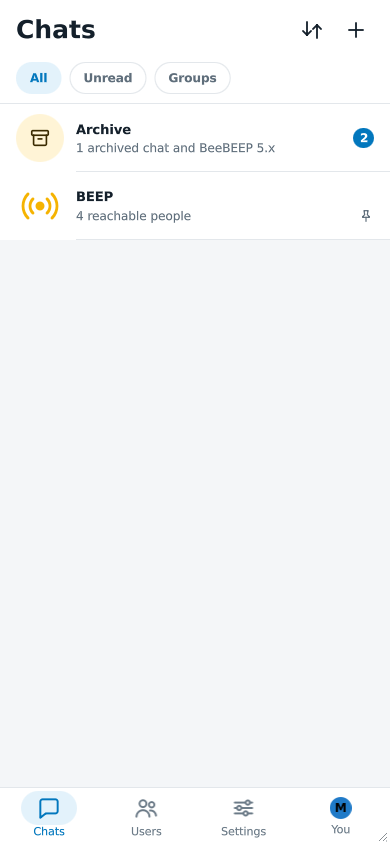
The Archive row
The Archive row appears at the top of Chats, above BEEP, as soon as there is something in it: an archived chat or a history from BeeBEEP 5. Under its name it says what it holds: From BeeBEEP 5.x, read only, 1 archived chat, or both together, such as 1 archived chat and BeeBEEP 5.x. At its end it shows how many messages you have not read in the archived chats or, when there are none, how many things it holds.
Tap it to open the archive. On a wide window the archive opens in the right column, as the list of file transfers does; on a phone it opens over the chat list, and the back arrow returns to Chats.
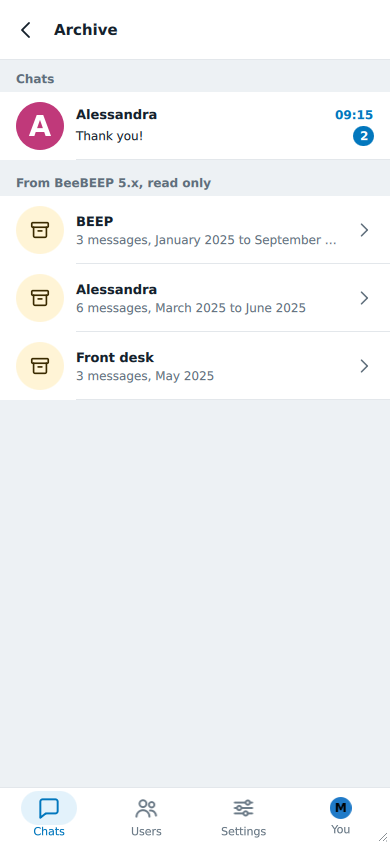
The archived chats come first, under Chats; the histories of BeeBEEP 5 follow, under From BeeBEEP 5.x, read only. The two headings appear only when both kinds are there.
Archiving a chat
Archiving a chat only moves it out of the list: all its messages stay, and you can still open it and write in it from the archive.
- In Chats, long-press the chat (right-click on a computer) and choose Archive chat; or open the chat and tap the archive button at the top, beside the bell.
- To bring it back, do the same and choose Unarchive chat; in an archived chat the button at the top is the one that does it.
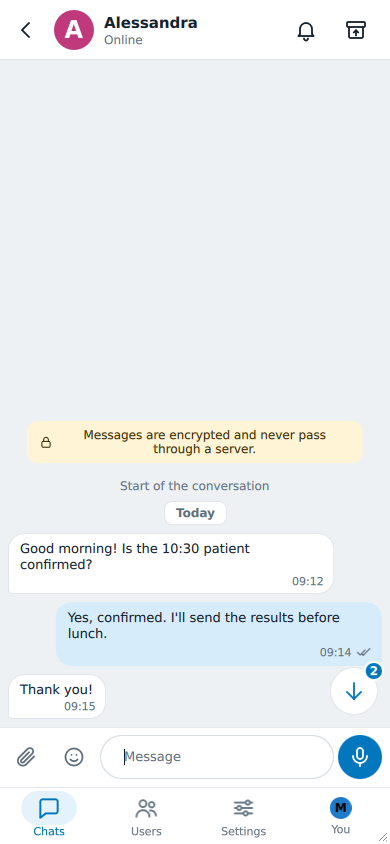
What archiving does and does not do:
- It is yours alone. Nobody is told, and the other people in the chat see nothing different.
- A new message leaves the chat archived. It shows no notification and no flash, unless it mentions you, and its unread count moves from the Chats tab to the Archive row. When you open the chat the count goes as usual.
- It is not muting. Archiving and the bell are independent: you can mute an archived chat, and archive a muted one.
- BEEP cannot be archived. It is the room of whoever is online now, not a conversation that ends; see BEEP.
- A group you left stays in the list, with its note that you are no longer a member, until you archive it yourself.
- The chat of someone BeeBEEP has not seen for a long time goes to the archive by itself, and comes back by itself when that person does. For that chat there is no button: the archive only holds it while the person is hidden. A chat you archived by hand stays archived when its person returns.
Archiving does not free any space: the archive keeps every message.
The history of BeeBEEP 5
If BeeBEEP 5 was installed on this computer, Settings > Network > Import from BeeBEEP 5.x also brings its saved chats. They do not become ordinary chats: they come into the archive as read-only copies, each one as it was written, and you open them from there. The screen that starts the import is described under Import from BeeBEEP 5.x. When the import is over, a message says how many chats are now in the archive.
In the list, each history shows its title, how many messages it holds and the months it covers. When the old chat belongs to a contact or a group that was imported too, matched by its exact name, you find it in two places: in the archive, and on a card in that chat.
- The card says Earlier messages from BeeBEEP 5.x, with the number of messages and the months, and sits at the top of the chat above the note about encryption, where the old messages would have been. The contact's details and the group's details carry it too. Tap it to read the history.
- BEEP has one as well: the history of the chat with everyone in BeeBEEP 5 is titled with BEEP's name, kept beside the room that replaced it. Its old messages are never turned into BEEPs.
A name that matches no chat, or more than one, leaves the history in the archive list with no card.
You can import again whenever you want. What is already there is not added twice, and a history that has grown in BeeBEEP 5 since the first import stays as it was then.
Reading it
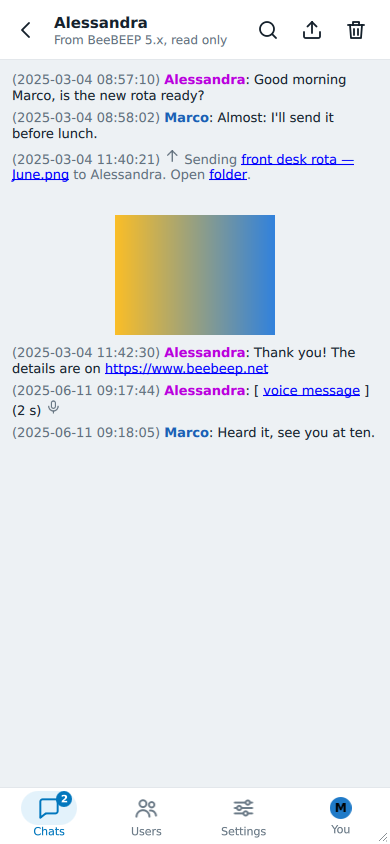
The history looks as it did in BeeBEEP 5: each line has its date and time, the name of who wrote it, and the colors of the names; the colors are adjusted so that they stay readable in the light and the dark theme. Nothing can be written in it, and the title says From BeeBEEP 5.x, read only.
- Search (the magnifying glass at the top) finds a word in this history. It says No match or how many matches there are, and the arrows go to the previous and the next.
- Links stay links: a web address opens in your browser, an e-mail address in your mail program, a file in the program your system uses for it. A line that said a file was sent has a link to the file and one to its folder. If the file or the folder is no longer where it was, a notice says so and nothing opens.
- Voice messages play from the history, with BeeBEEP's own player, as long as the recording was still in the old BeeBEEP's folder when you imported. Otherwise a notice says that the recording is no longer there.
- Pictures that BeeBEEP 5 showed as small previews are kept with the history. The pictures, documents and recordings themselves stay where they were saved: BeeBEEP does not copy or move your files, it only reaches them by their links.
Once imported, a history needs nothing more from the old installation: you can uninstall BeeBEEP 5 and read it all the same. Only the files its links point to, which are yours, must still be where they were.
Exporting and deleting
The icons at the top of a history are the other two actions.
- Export saves the history as one web page (
.html) that any browser opens, with the pictures inside it. The voice messages and the icons are left out, since a browser has no player. The file is not encrypted: inside BeeBEEP the archive is, but whoever can open the exported file can read all of it. BeeBEEP says so before you choose where to save it, and again inside the file. - Delete removes the history from this device, after asking. If you import again while the old files are still there, it comes back.
What is private
The archived chats are the same messages as before, kept as your other chats are, on this device; the archive flag is never sent to anyone. A history from BeeBEEP 5 is stored encrypted, in the same way as your other data. Only the exported web page leaves that protection, as said above.
See also
- Getting started, for archiving in a few words.
- Notifications, for what the bell and the settings hold back.
- BeeBEEP 6 and BeeBEEP 5, for what else changes with someone who still uses the older version.